What it does for you
Everything a restaurant needs for bookings — no paper diary and no commission per guest.
Online bookings 24/7
A booking widget on your website, or a booking page of its own if you have no website.
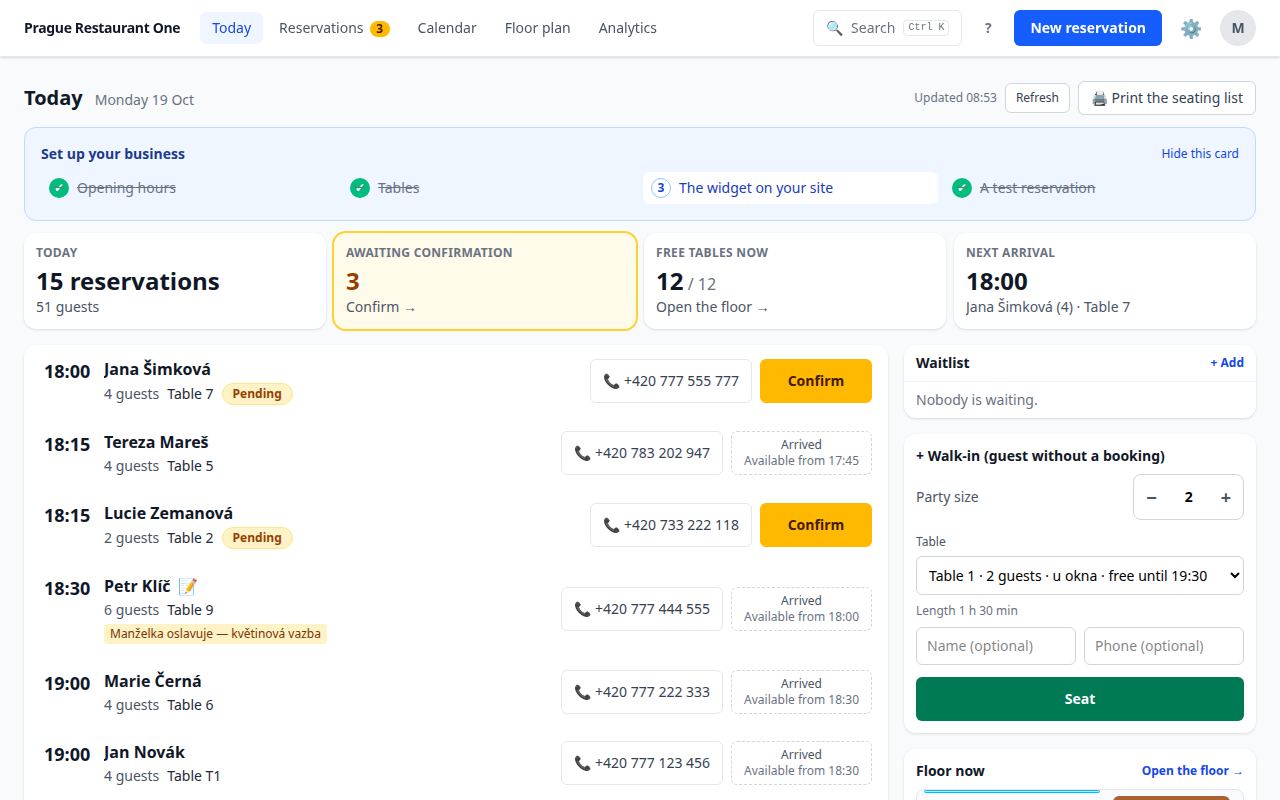
Tonight on one screen
Arrivals, occupancy, guest notes and tables — the “Today” view for the floor staff and the manager.
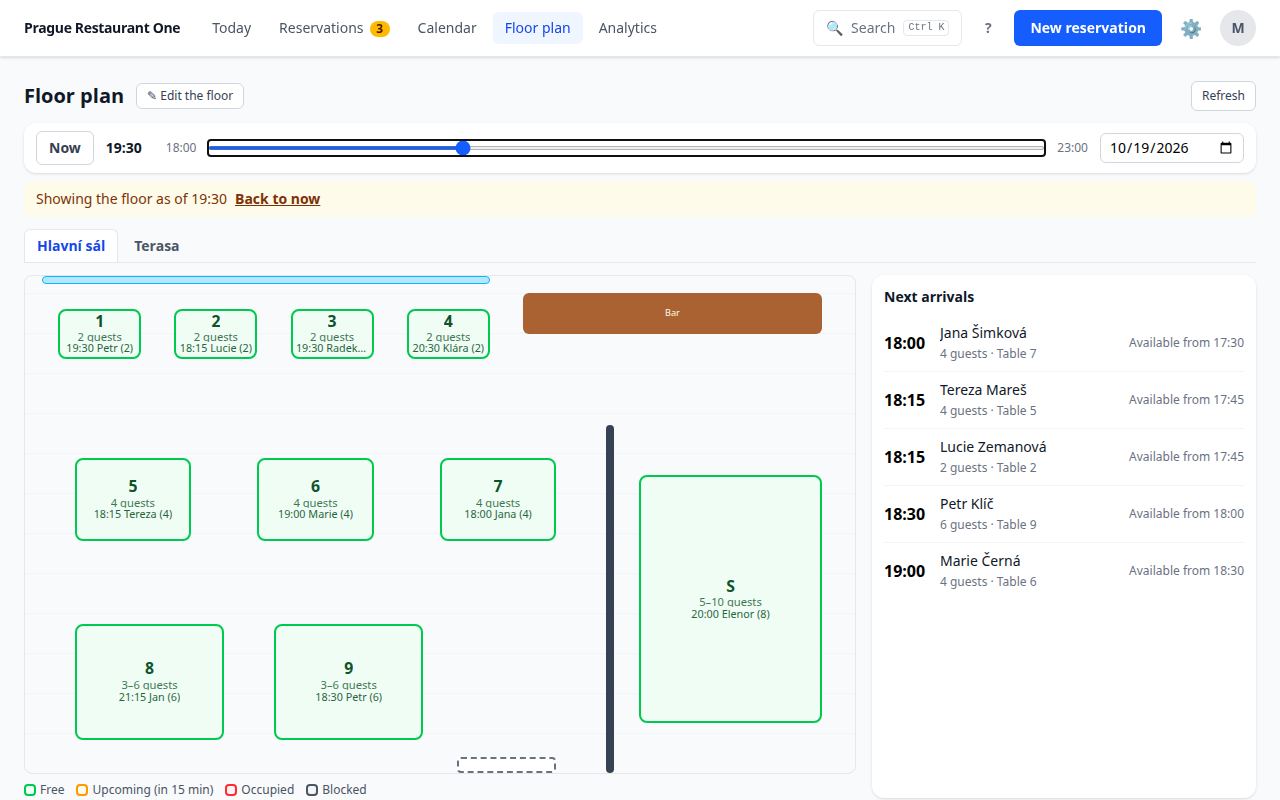
Floor plan
Your tables, rooms and terrace as they really are. Bookings are assigned to tables automatically.
E-mails to guests
A confirmation, a reminder before the visit, and a link for the guest to cancel or change the booking.
Waitlist and phone bookings
A phone booking takes seconds to enter. When you are full, put the guest on the waitlist. When a table frees up, mark the guest as offered on the list and give them a call.
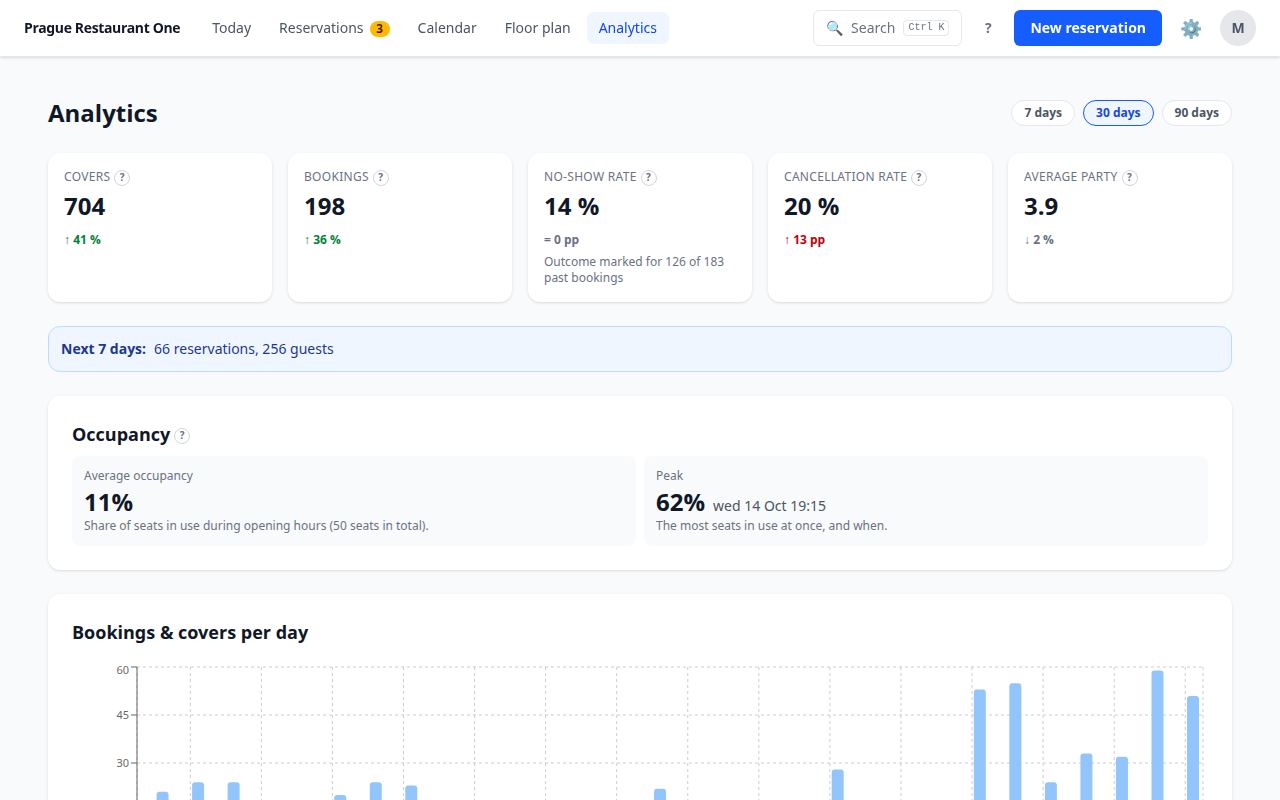
Statistics
Guest counts, the busiest days and hours, no-shows — so you know when to add staff.
Staff and roles
Everyone has their own sign-in and sees only what they need. Two-step verification for owners.
GDPR included
A data processing agreement, export and erasure of a guest's data in a few clicks, data stored in the EU.
Try it as a guest
This is the real booking widget, as it would appear on your website. Pick a day, a time and a party size.
Demo venue “Bistro Demo”. Demo bookings are not sent to anyone, are not counted in any statistics and are deleted automatically the next day. Feel free to use a made-up name.
The demo booking widget is loading…
What it looks like inside
Screens from the restaurant's app, on demo data.
How to start
Setup takes one evening. We are happy to help with anything.
-
Get in touch
We create your account and send you an invitation by e-mail.
-
The setup wizard
Venue → opening hours → capacity or tables → done. It takes a few minutes.
-
Bookings on your website
Paste a short code into your website (WordPress, Wix, Webnode…), or just share the link to your booking page. Step-by-step guide (in Czech).
-
Take bookings
Right after the wizard. There is nothing else to wait for.
Price
During the beta you use the system free of charge, with every feature and no commission. There is no availability guarantee (SLA) during the beta.
We will tell you about the terms after the beta well in advance.
Frequently asked questions
Do I need my own website?
No. Every venue also has a booking page of its own; put its link on Facebook, Instagram or Google Maps.
Who owns the guest data?
You do. We process it only on your instructions, under the data processing agreement you accept at your first sign-in. You can export or erase a guest's data at any time, and when you leave you get an export of all your data.
What about GDPR?
The system is ready for GDPR: a data processing agreement, a privacy notice for guests, export and erasure of a guest's data, and automatic anonymisation of old bookings (you choose after how long). Data is stored in the EU.
What if guests book by phone?
You enter the booking in seconds — and have every booking in one place.
Do guests get e-mails?
Yes: a booking confirmation, a reminder before the visit and a link to cancel or change. The texts are in Czech or English, as the venue chooses.
What if the system is down?
The booking widget on your website then shows guests your phone number.
How do I reach you when I need help?
Write to info@bruchma.cz or call. During the beta we answer in person.
Want bookings at your venue too?
Tell us a few words about your venue. We will get back to you and agree on the next steps.
Write to us through the contact formor at info@bruchma.cz